 English
 Arabic
 French
 Deutsch
 Turkish
 Dutch
Dutch
 Italiano
 Russian
 Romaian
 Greek
Greek

Introduction
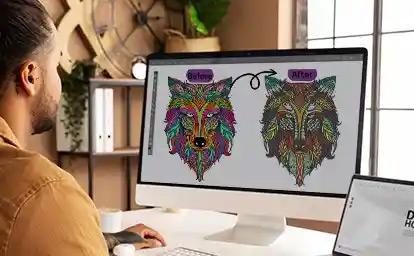
You have created a beautiful logo or illustration on your computer. It looks crisp and colorful on the screen. But when you try to embroider it, the machine simply does not respond. That is because embroidery machines cannot read standard image files like JPEG or PNG. They require specialized instruction files that tell the needle exactly where to go, what stitch to use, and which color to apply. That is where Digital Artwork to VP3 Conversion becomes absolutely essential for anyone using Husqvarna Viking or Pfaff embroidery machines.
The VP3 format is the native language for these popular machines. Unlike a simple image that just stores visual information, a VP3 file contains detailed stitch data that directs the machine on how to sew the design. Every stitch's placement, angle, density, and sequence is encoded into this format . Without this conversion process, your artwork remains just pixels on a screen instead of thread on fabric.
Understanding the VP3 Format
The VP3 file format is specifically designed for Husqvarna Viking and Pfaff embroidery machines . It contains machine-readable instructions for every single stitch in the design, along with color change commands and thread sequencing information . This makes it much more sophisticated than basic image files.
The format uses a nested structure, like Russian dolls, where each section contains more detailed information about the design . The file includes embroidery summary details, hoop information, and thread packets. It stores color information using RGB values, allowing for more precise color definition than some competing formats . This level of detail is why VP3 is the preferred format for professional embroidery work on Viking and Pfaff machines.
One important distinction to understand is that VP3 files contain stitch data, not image data. While you might see a preview of your design on the machine's screen, the actual file is telling the machine how to move the needle, when to trim the thread, and when to change colors .
Why Your Artwork Needs Professional Conversion
Standard image files like JPG and PNG are great for printing or websites, but they lack the critical information an embroidery machine needs . These images only describe shapes and colors visually. Embroidery files provide actual needle paths and stitch commands. If you try uploading a standard image directly to your machine, it simply will not work.
The conversion process is called digitizing. This involves using specialized software to trace the shapes in your artwork and assign stitch types to each area . The digitizer makes decisions about stitch direction, density, underlay, and the sewing path. These decisions affect both the appearance and durability of the final design .
Auto-digitizing features in some software can produce quick results, but they often fall short for detailed logos, small text, or complex artwork . Professional digitizers use manual methods that give them full control over every aspect of the design. They understand how different fabrics behave and can compensate for issues like pull distortion and puckering.
Software Options for VP3 Conversion
Several software options exist for converting artwork to VP3 files. Husqvarna Viking provides its own solutions like Premier+ 2 and mySewnet . These programs are designed specifically for Husqvarna machines, making them a reliable choice for creating compatible files. They offer built-in editing tools, stitch simulations, and direct machine connectivity.
For advanced control, industry-standard software like Wilcom Embroidery Studio, Hatch, or Pulse offers precision features such as custom stitch effects, density adjustments, and advanced lettering . These tools are widely used by professional digitizers because they allow for highly detailed and polished results. Their higher cost and learning curve make them better suited for businesses or experienced users.
If you are just starting out, free or budget-friendly options like Ink/Stitch are available. This open-source extension for Inkscape turns vector artwork into files ready for embroidery machines and supports export formats including VP3, EXP, and DST . It offers built-in tools for lettering, automation features for complex shapes, and support for running stitches, satin stitches, and fill stitches . While these tools are great for experimentation, they offer limited control compared to professional software.
There are also browser-based converters that can convert between embroidery formats, but these repack existing stitch data rather than turning images into stitches. That is a different process called digitizing .
The Step-by-Step Conversion Process
The journey from artwork to a VP3 file follows a structured workflow. It starts with preparing your artwork. Clean up the image by removing unnecessary backgrounds, increasing contrast, and simplifying details . Converting gradients and shadows into solid colors dramatically improves embroidery quality .
Once your artwork is ready, you import it into digitizing software. Many programs offer auto-digitizing features that convert the image into stitches automatically. However, professional digitizers typically use manual methods to maintain precise control .
The digitizer traces every object in the design, assigning stitch types to each area. Satin stitches work best for text and borders. Fill stitches cover larger areas. Running stitches handle outlines and fine details . Setting the stitch direction is another critical decision that affects texture, shine, and depth .
The digitizer adds underlay stitches to stabilize the fabric before the visible stitches begin. This step reduces puckering and improves durability . They also adjust stitch density to balance coverage against the risk of thread breaks or fabric distortion. Finally, the design is exported as a VP3 file, ready for your machine .
Common Mistakes to Avoid
One of the biggest mistakes is using low-resolution artwork. Blurry images lead to poor tracing and messy stitch results . Another common error is failing to simplify the design. Too many colors or tiny details can cause unnecessary thread changes and create a messy final product .
Skipping the test stitch-out is another costly mistake. Always stitch the design on a sample piece of the same fabric you plan to use. This reveals issues with density, placement, or color before you run a large production batch. Converting between embroidery formats can also cause problems. Some formats lose advanced stitch data during conversion, leading to puckering, thread breaks, or stiff designs .
When to Consider Professional Help
While learning to digitize your own designs is rewarding, professional conversion offers significant advantages for businesses and serious embroiderers. Professionals understand fabric behavior and know that different materials require different stitch densities and underlay patterns . They have access to high-end software and years of experience.
If you are producing branded apparel for your business, the quality of your embroidery directly reflects on your brand. A poorly digitized logo makes your company look unprofessional . Professional digitizing protects your reputation and saves you money on wasted materials. Many freelancers and services offer professional digitizing for logos, artwork, and designs in VP3 format and other machine formats .
Conclusion
Converting digital artwork to VP3 files is essential for anyone using Husqvarna Viking or Pfaff embroidery machines. This process transforms your visual designs into precise stitch instructions that your machine can understand and execute. The VP3 format contains detailed data about stitch placement, angle, density, color changes, and sequencing.
While auto-digitizing tools and free software can handle simple designs, professional manual digitizing delivers superior results for complex artwork, logos with small text, and production-quality work. Understanding the conversion process helps you appreciate the skill involved in creating a flawless VP3 file.
Whether you choose to digitize your own designs or hire a professional, proper conversion ensures your embroidery looks crisp, professional, and built to last. Your artwork deserves to be represented in thread as beautifully as it appears on your screen. Investing in quality VP3 conversion makes that possible.